 Send AI
On this page
Send AI is the best climbing app if you want video technique feedback on your actual climbs, at $39.99/year on iOS. For outdoor guidebooks and gym logging, pick KAYA. For free hangboard timers, pick Crimpd.
- Best for video technique coaching: Send AI ($39.99/year, iOS)
- Best for outdoor guidebooks and beta: KAYA (Free / $59.99/year Pro)
- Best for free hangboard workouts: Crimpd (Free / ~$4.99/month Crimpd+)
- Best for adaptive training plans: Lattice Training (~$30/month LatticePlan)
- Best for spray walls: Stokt (Free for climbers)
Most "best climbing app" lists lump outdoor topo databases, Bluetooth LED board controllers, and hangboard timers into one ranking. Those apps solve completely different jobs. A GPS guidebook will not fix sloppy footwork on an indoor V4, and a video coach will not light up a Kilter Board.
We split the 8 apps below by the job they actually perform, using verified November 2026 pricing, platform availability, and real limitations for each tool, including our own app Send AI.
How we evaluated these climbing apps
Every app in this list earned its spot on four criteria: clarity of its primary job, real-world usability in a chalky gym or at a crag, transparent pricing without hidden paywalls, and honest platform support across iOS and Android.
We also checked whether each app helps you climb better or simply records what you already climbed. Logging sends feels satisfying, yet most climbers stuck between V3 and V6 need either cleaner movement or structured strength work, not another scorecard. If your main goal is breaking a technique plateau rather than logging routes, read our dedicated guide to the best apps to improve climbing technique.
Quick comparison of the 8 best climbing apps
| App | Best for | Primary job | Pricing (Nov 2026) | Platforms |
|---|---|---|---|---|
| Send AI | Video technique coaching | AI climb analysis, clips, coach chat | $39.99/year or $6.99/week | iOS (Android waitlist) |
| KAYA | Outdoor topos and gym beta | Guidebooks, climb logging, community | Free; Pro $9.99/mo or $59.99/yr | iOS, Android |
| Crimpd | Free hangboard and strength | Timers, coach workouts, training log | Free; Crimpd+ ~$4.99/mo annual | iOS, Android, Web |
| Lattice Training | Periodized training plans | Adaptive strength/endurance plans | 14-day trial; £22.99/mo (~$30) | iOS, Android |
| Stokt | Spray wall problem setting | Photo hold mapping, gym boards | Free for climbers; gym plans $11.99-$34.99/mo | iOS, Android |
| BetterClimber | Offline pose skeleton metrics | On-device 33-point pose tracking | Free tier + 7-day trial; Pro up to £35.99/yr | iOS, Android |
| TopLogger | European gym route tracking | Gym set logging and leaderboards | Free for climbers | iOS, Android |
| Kilter / MoonBoard | LED training boards | Bluetooth board control and benchmarks | Free app (requires physical board) | iOS, Android |
What makes a climbing app actually worth installing?
A climbing app earns space on your phone when it changes what you do on the wall or cuts friction before a session. In practice, indoor and outdoor climbers fall into four needs: finding climbs, tracking progress, building physical strength, and fixing movement mistakes.
Most climbers install two apps that complement each other. Pairing a free logger or hangboard timer like Crimpd with a movement feedback tool like Send AI covers both physical conditioning and technique without paying $170/month for remote coaching.
1. Send AI
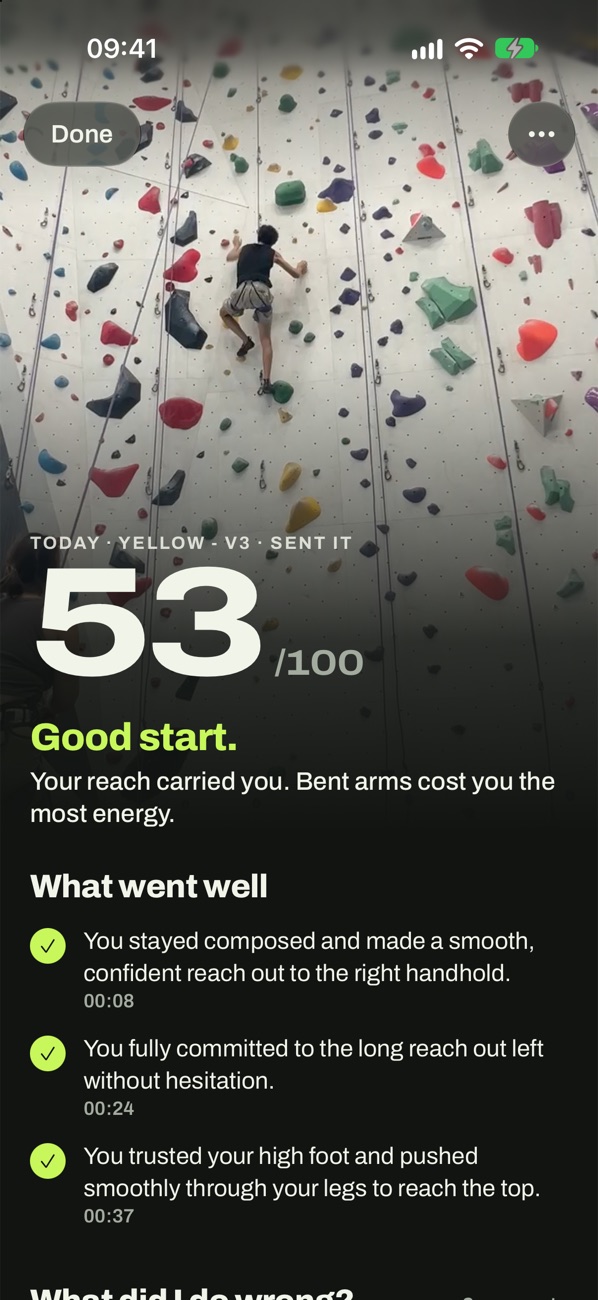
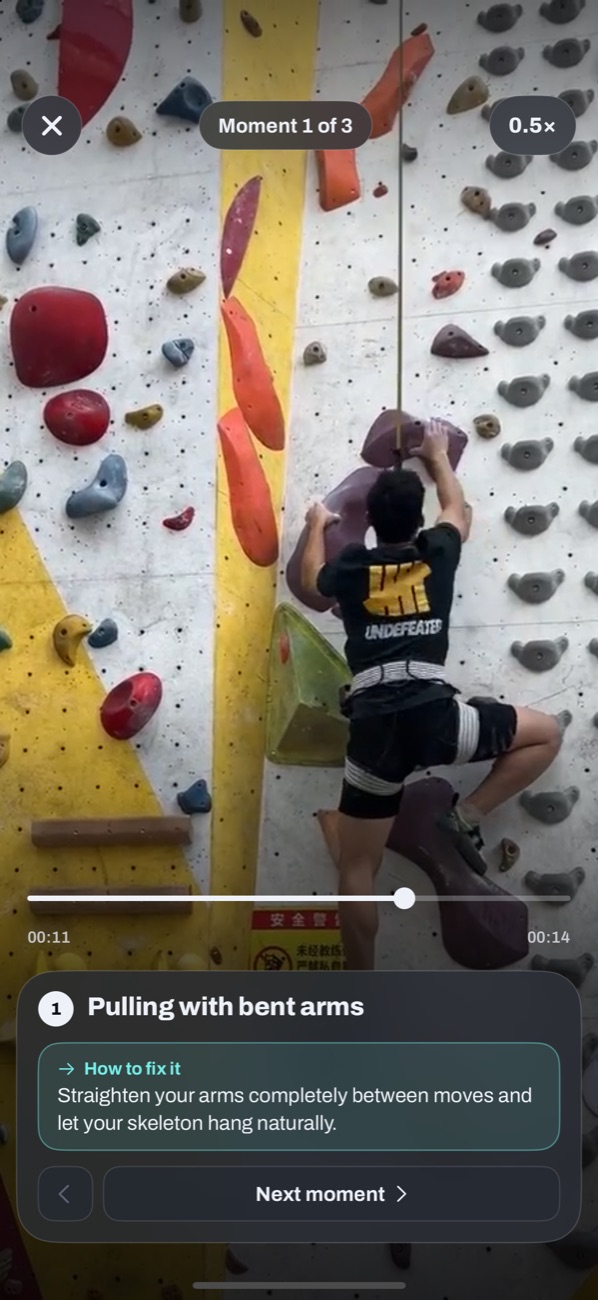
Best for video technique coachingSend AI analyzes indoor boulder, top rope, and lead videos up to 5 minutes long and pins every technique mistake to the exact second it happens, with slow-mo clips and one focus for your next session.
2. KAYA
Best for outdoor guidebooks and gym betaKAYA combines interactive GPS outdoor guidebooks, offline topos, and social gym logging with user-uploaded beta videos.
3. Crimpd
Best for free hangboard timers and workoutsBuilt by Lattice Training coaches Tom Randall and Ollie Torr, Crimpd delivers structured hangboard, campus, and conditioning workouts with native background timers.
4. Lattice Training
Best for adaptive training plansLattice Training pairs one of the largest climbing performance datasets with algorithmic weekly training schedules that adjust to your logged fatigue and metrics.
5. Stokt
Best for spray walls and home wallsStokt turns any photograph of a dense spray wall or home woodie into a clickable hold map where you can set, grade, and share custom boulder problems.
6. BetterClimber
Best for offline skeleton pose trackingBetterClimber runs on-device computer vision to track 33 body landmarks offline, plotting center-of-mass stability, hip proximity, and skeleton overlays on your climbs.
7. TopLogger
Best for European indoor climbing gymsTopLogger tracks commercial gym sets, flashes, and community leaderboards across hundreds of indoor bouldering and lead gyms, especially in Europe.
8. Kilter Board and MoonBoard apps
Best for standardized LED training boardsThese companion apps connect over Bluetooth to gym LED walls so you can browse thousands of benchmark boulder problems by grade, angle, and hold style.
Which climbing app should you pick for your grade?
Matching your app to your climbing stage prevents wasted subscriptions.
- Beginners (V0 to V2, first 6 months). Start with free gym logging (TopLogger or KAYA free) plus technique feedback. Catching bad habits like bent arms, loud feet, and square hips early saves months of unlearning later. Our beginner-to-intermediate bouldering improvement guide covers the first five drills to run.
- Plateaued intermediates (V3 to V6). Most climbers stuck at V4 assume they need stronger fingers, when video usually exposes hip drift, hand re-gripping, or cutting feet. Combine Send AI for video coaching with free Crimpd timers once or twice a week. See our V4 plateau diagnostic guide for the exact video checks.
- Performance climbers (V7+ or 5.12+). Pair Lattice Training or a human climbing coach for physical periodization with LED board apps (Kilter or MoonBoard) and occasional video reviews to audit movement efficiency at your limit.
How Send AI compares to general climbing apps
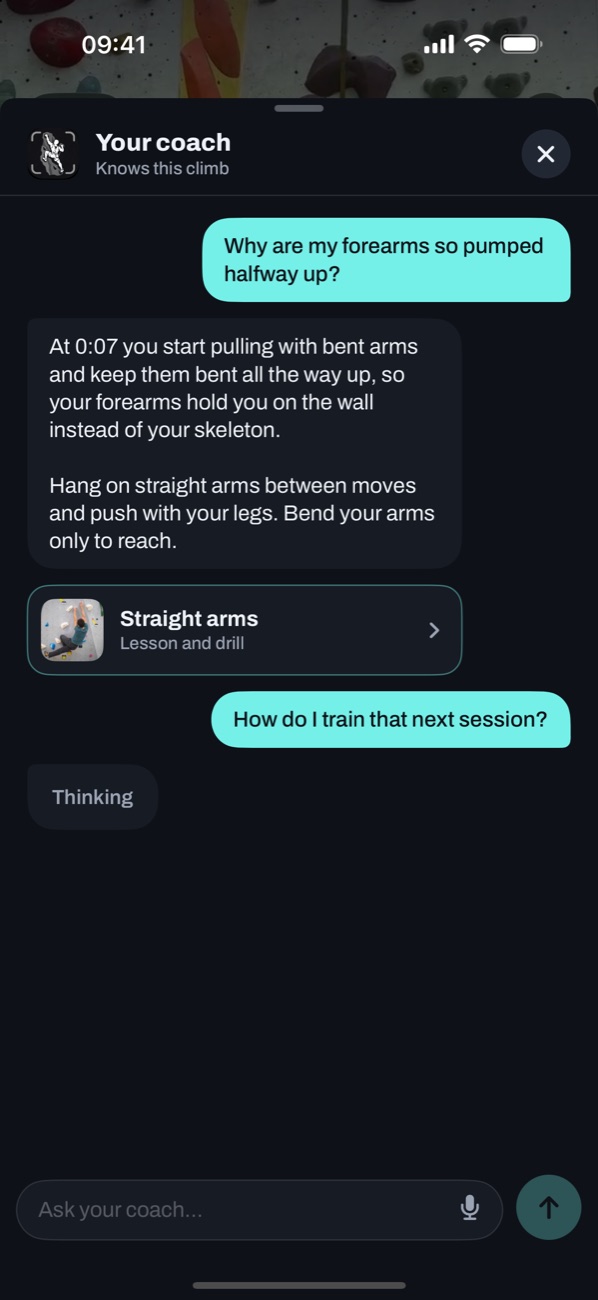
General climbing apps track what you climbed or tell you how long to hang on a 20mm edge. Send AI watches how you moved on the wall.
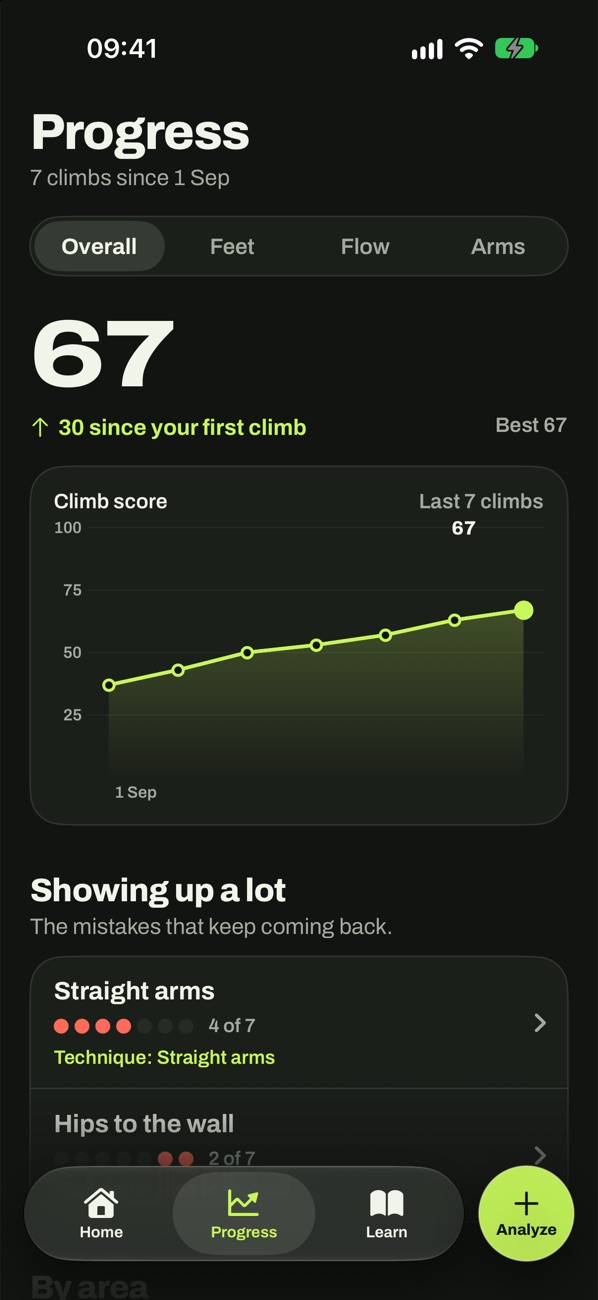
If you want to weigh AI video coaching against hiring a human coach or paying for standalone video critiques, read our AI climbing coach vs human coach comparison. If you already use Crimpd or Lattice and want to know what fills the technique gap, check our Crimpd and Lattice alternatives guide.
Frequently asked questions
What is the best free climbing app?
Crimpd is the best free app for structured climbing workouts and hangboard timers, while KAYA and TopLogger are the best free options for logging gym sessions depending on which platform your gym uses. None of those free tiers analyze your climbing video for movement errors.
Is there an app that analyzes climbing videos?
Yes. Send AI analyzes indoor boulder, top rope, and lead videos up to 5 minutes long, flags 3 to 5 timestamped mistakes with 0.5x slow-motion clips, scores Feet, Flow, and Body, and lets you chat with an AI coach about any move. BetterClimber and Climbah also offer video analysis with different approaches.
Which bouldering app is best for breaking a V4 or V5 plateau?
For a V4 or V5 plateau, pair a video technique coach like Send AI with a free strength timer like Crimpd. Most climbers stuck at V4 lose energy through hip position, re-gripping, and cut feet rather than pure finger strength, so seeing your exact mistake on video moves the needle faster than logging grades.
Does Send AI work on Android?
Send AI is currently live on iOS 17 and later through the Apple App Store. An Android version is in closed beta preparation, and Android climbers can join the waitlist on sendaiapp.com to get notified at launch.
Do climbing apps replace a real climbing coach?
An app replaces routine technique check-ins and hangboard scheduling at a fraction of the cost ($39.99/year for Send AI versus $60 to $100 per private session). A human coach still wins for injury rehabilitation, custom multi-month strength periodization, and in-person belay or fear-of-falling coaching.